Front lights, page turns and the e-reader you actually use
The best e-reader comparison starts with your books, your preferred light level and the way you hold a page.
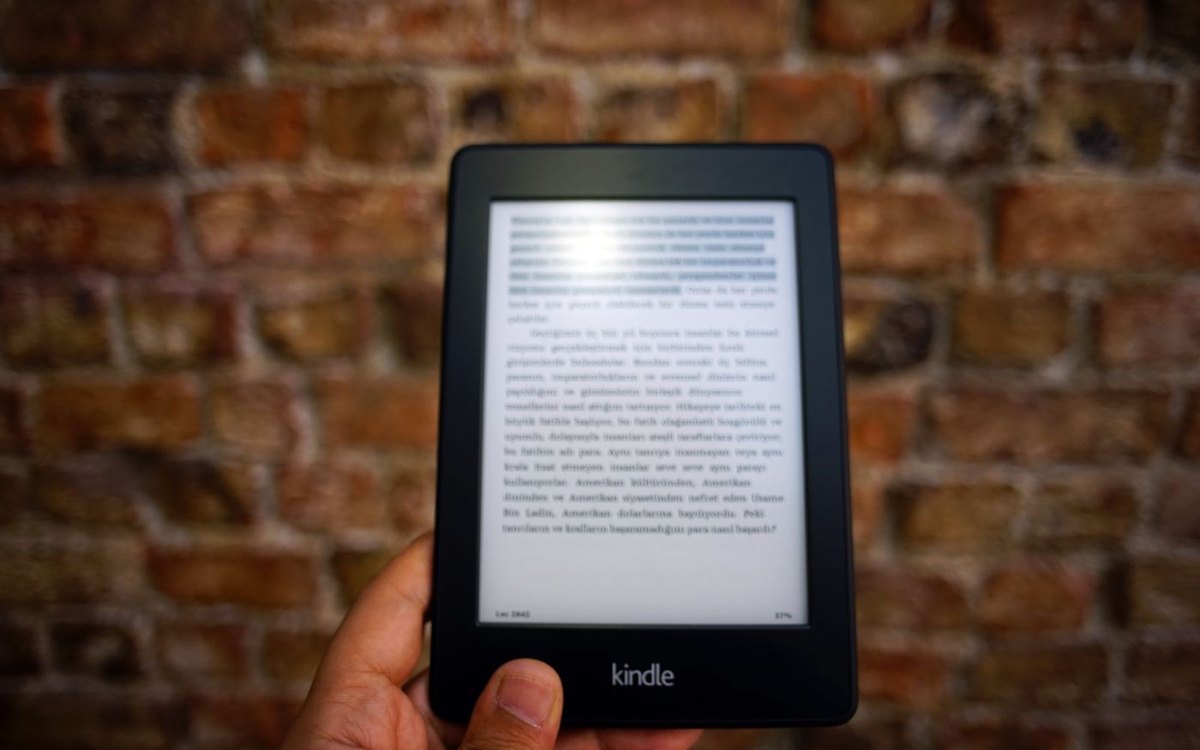
The best time to discover that an e-reader's lowest front-light setting is too bright is before a long night reading beside someone else. Test the controls in a dark room with a real book in memory. Raise the brightness until the lines become comfortable and leave it for a chapter. A warm tint may make the page pleasant, but it cannot compensate for poor brightness control or a distracting lit patch along an edge. Under a desk lamp, try the screen with its front light turned off so you can see how the surface relies on ambient light.
Make room for your book collection
Bring a representative novel, an illustrated title, a borrowed title if your library system permits exports or device delivery, and a PDF if that describes your reading. Reflowable books can usually change font size and margins. An exported academic paper has a fixed page and may require zoom or a larger display. Try navigating its footnotes, tables and numbered figures. A long reference title purchased in a proprietary format can also drive the device choice if you need to carry it across old and new devices.
Check a real loan before basing a purchase on library support. Lending systems and apps vary by region and library, and the same file extension may cover either a book you can copy directly or a rights-managed loan requiring specific software. Visit your library's help page and use a disposable sample purchase or a free title to confirm the route. If a device has a cloud service for transferring your documents, ask whether a wired or local option exists as well. A good local route is convenient when traveling and useful if that cloud service changes.
Watch your hand as you read
A tall screen looks roomy in a shop and can feel awkward if you read while standing on a train. Hold the device one-handed as you would during a chapter. If it has physical page-turn controls, change hands or rotate it if supported and see where your fingers land. For a touch interface, test the area you naturally reach. Keep a case on the device if that is how you will use it. Cases change balance and add weight in ways that a bare device on a display stand conceals.
Open the contents, jump from a footnote to its reference and return to the exact same point. Highlight a sentence at the bottom of a page and see where the software exports it. A book-sized PDF can surface a surprisingly awkward sequence when it requires five taps to resume reading. A simple novel may never expose that problem. Even with the same screen material, page-turn animation, contrast and refresh behavior are implementation choices you can compare with your own eyes.
See what is really on the page
Look at a paragraph with slender letters and a dense line of punctuation. Turn the font size up twice, then bring it down. You may use a larger size on a dark train than you do at home or prefer longer lines for a complicated passage. The margins, line spacing and font weight controls matter because a book often comes with a design that looked better on paper than on a small display. A device whose preferred font setting is easy to reach is easier to share between those situations.
An electronic paper display can show a faint remnant of the previous page, especially when an application uses partial updates. In a text-heavy novel, it may pass unnoticed. Move through a table with gray areas or change from an image to a white page and see how long the remnant distracts you. Look for a setting that increases full refreshes and watch how the screen behaves when you turn several pages quickly. The extra flash can be obvious in a quiet room or reassuring if you read a lot of diagrams.
A front light spreads light across the display surface. Its color and evenness deserve a look near the low brightness setting where you will actually use it. Read long enough for your eyes to adjust to the dark room and try a page with gray notes or a shaded background. If the device has separate warmth and brightness controls, work out how to change them while staying inside the book. A quiet bedside device often succeeds on this small interface question because you rarely need to touch anything else.
Make a second library before changing ecosystems
Make a list of the sources where you already acquire books. Those might include a local shop's file downloads, a library loan platform, a large book service, digital magazines and materials from a workplace. For each, try opening one permitted title or sample on the new device. The presence of an e-book application does not imply that it supports every title sold in your region. A publisher could make the text available in one market and keep an older edition elsewhere.
Keep an orderly copy of any files you are entitled to store. Filenames supplied by a shop are not always easy to read later. A small catalog containing title, author, source and file location can help you identify duplicates and move titles you own when you change devices. Include the original files so they retain the location markers or typography with which they arrived. Avoid modifying rights-managed copies or assuming that the ability to download a book includes the ability to move it to another store.
Some paper-like readers have email or wireless delivery tools that can turn a document into a readable page. For work material, consider whether that route sends a copy through a service you are allowed to use. A wired transfer can be straightforward, but its advantage depends on whether the device opens the format once it arrives. Convert a nonconfidential sample with bulky headings and a table, then compare it with the original. A pleasant looking first chapter can hide a table that is no longer comprehensible.
Spend time with the kind of pages that break
Academic articles commonly use two columns, small figure labels and references that occupy several lines. On a narrow screen you may need to zoom into a column and move horizontally at every page. Try a complete section with footnotes and verify whether zoom position carries forward. If you primarily review proofs, forms or sheet music, start with physical page size and the way you move through it. A larger screen can make a noticeable difference here even if you are happy reading novels on a small one.
Color is worth evaluating against the document, too. A muted screen can display category colors clearly enough on a graphic without approaching the brightness of a tablet. A pale yellow line could almost disappear even when the main photograph remains understandable. Open your actual illustrations and identify which distinctions carry information. If you only need yellow highlights and a map occasionally, a display with an unsurprising grayscale mode might be more valuable than a color feature with trade-offs you find distracting.
Test the interruptions around the book
Try opening the index, jumping to a chapter and returning to your previous location without leaving the book. Put the device to sleep halfway through a page, then come back after it has been sitting awhile. Check whether you can get back to the same paragraph quickly. If you share some reading between a phone and the device, test how it updates progress in both directions. A cloud synchronization setting is useful when it consistently starts in the right place and can wait until you are back on a network.
Use an excerpt to try an accessibility feature you rely on, whether it is large type, a screen reader, text-to-speech, physical buttons or consistent controls. Support may differ between the system menu and the book application. Test a table of contents or a footnote, then try a title from a second source. Decide where you would keep accessible copies if a single retailer no longer provided an app on the version you own. Reading equipment can continue to work for years when the actual books and notes remain reachable.
Pack the reader for an ordinary trip and note where it fits without flexing under a bag full of other things. An e-reader earns space by opening to the right page in the situations where you have time to use it. The model that is easiest to carry, read and refill on a working week is likely to give you the most pages after the first month.
If you listen to someone else read while looking at the text, test whether the playback controls let you move between listening and reading without losing your place. Check wireless audio away from any other paired device. The first song or test tone is easier to reconnect than an audiobook paused between two chapters.
Consider the quiet parts of ownership
A display with a scratch can still work, but a replacement screen or battery may cost a substantial part of a new device. Check its service arrangements and update policy while the model is current. Find out whether notes and reading progress can be exported, especially if you annotate books for work. Run a brief offline test with several books downloaded and the Wi-Fi disabled. It tells you whether the library you counted on really travels with you, which often matters more than peak brightness or a specification for battery life.