What to move before handing over your old phone
Signing in to the new phone and restoring its first backup are only two steps in a safe handoff.
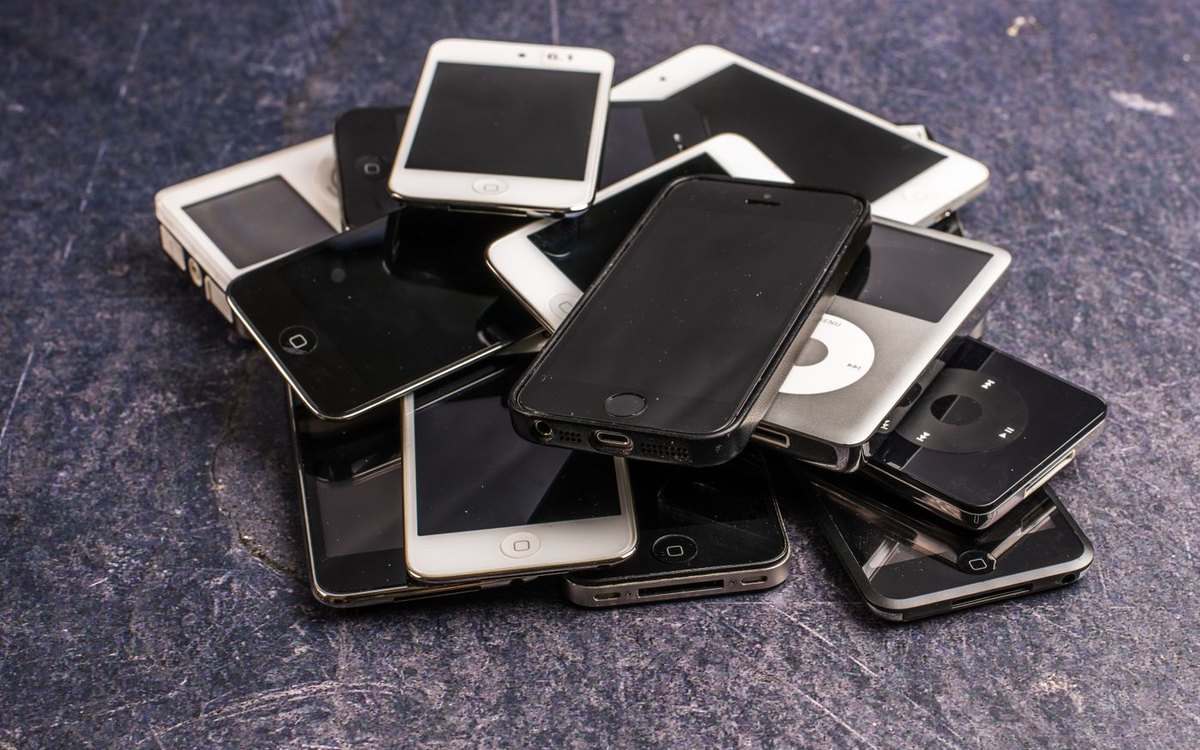
A trade-in starts on the new phone. Copy the photos you will want and verify access to the accounts you rely on before you erase your old device. The account that sends you a sign-in prompt can be difficult to recover if the only registered phone is already packed away. Do the verification at home where you still have both phones, a reliable connection and time to look up the correct instructions.
Prove that the new phone can stand alone
Use the main phone number to make a call, receive a message and check the carrier's instructions for transferring physical SIMs or eSIMs. If you have separate work and personal lines, verify both using a harmless message. Open your password manager and authentication app. Check the provider's instructions for moving codes or restoring an existing backup. Contact a work administrator when the device or account is managed. Some services give you recovery codes, which should be stored securely outside the device being retired.
Open several older photos and a recent offline document. Sync services can display thumbnails before the originals are available. A message app may use a separate transfer or backup mechanism, especially across operating systems. Use its official guidance and search for a conversation you know, including one with a saved attachment. Contactless payment cards, transit balances, accessibility shortcuts and connected watches are other details worth checking. Different issuers or products have distinct processes, so use the existing device for transfers while you still have it.
Identify the data that follows a different route
A comprehensive system backup may omit downloaded media, work material and items inside an application with its own account system. That means a screen full of familiar app icons is only evidence that the move started. Open each important application and run a small test. An offline map should display the area you already downloaded or offer the expected route to download it again. A notes app should really contain recent edits and your old scanned documents. Apps installed through a work program may require the administrator to enroll the new device before they are available.
Make a short list of the local material you cannot get back. It could be a long audio memo, an export kept only in a downloads folder or a set of unsent draft messages. Give each item a verified destination. Copy a few representative records and open the copies while the old phone is still online. Recent photos may appear in a new library before their full originals are present, especially if the library contains earlier uploads with small previews. Inspect a detail at full size or export an actual file if resolution matters.
Use the same check for applications with encrypted data or transfer limits. A chat app may support an official direct transfer that takes different steps on another platform. Use the instructions prepared for your combination of old and new devices and avoid unverified utilities that ask for broad access to both. If an app can export a record in a format you need, save that export before removing its old account. Do not transfer material for which you lack the required authorization, especially workplace data.
Test two ways to get into every essential account
An old phone can do several jobs at once. It might know a password, receive a text and approve a login in an application. Make sure replacing it preserves the necessary ways to authenticate. Check the password manager's access after installation and learn what its documented recovery process needs. A login remembered by an old browser might depend on a password you have not entered for years. Review critical services while the relevant inbox, secondary device or security key remains available.
For a one-time code application, be careful with recovery details and backups that contain sign-in secrets. Use the provider's official route. Keep any recovery codes securely, outside the phone being turned in, and confirm that you know how to reach them if needed. Avoid putting them inside a general notes archive shared with other people. For a phone enrolled by an employer or school, ask the appropriate administrator how to move the sign-in method and how to return the old equipment. Organization policy can shape which transfers you are allowed to perform.
Test the new phone's number with an ordinary call and a text before removing the old profile, following the carrier's own instructions. Ask a willing person outside your usual messaging application to send a harmless test. An internet chat can succeed while the line intended for plain SMS is still being moved. If two numbers are in use, identify the default line for outbound calls. Try whatever account recovery notification you rely on without accidentally starting a forgotten-password process on a live service. Account settings often offer a safe way to inspect registered methods.
Check the physical items that travel with the phone
Remove or transfer cases, optional storage cards and SIMs according to the equipment and trade terms. If the equipment has been repaired, check the trade-in program's stated restrictions and make sure the record reflects its current condition. The body of the phone may be accepted together with a short list of accessories, or the program may ask you to send only the device. Do not hand over an accessory you rely on unless the instructions require it and you have already arranged a replacement.
A wallet app might keep tickets or transit balance with a separate account. Verify with the issuer whether that item must be actively transferred or can be added back after sign-in. A connected watch or health accessory may also depend on a separate backup or unpairing process. Follow the relevant maker's steps. If you use the phone as a remote or a digital key, prove that the replacement works while you also have a safe alternate way to access the equipment. It is easier to correct a missing key before the old phone is out of reach.
Leave a clear boundary between your data and someone else's
Once you have verified the migration, stop using the old phone for new activity. Anything created after the final copy may become the last missing item. Where the maker recommends it, disconnect related accessories and release the device account association through the documented settings. On a phone owned by someone else, the account holder or administrator needs to authorize and perform the required steps. A screenshot confirming return should keep personal identifiers out of public channels.
Take your time with the final prompt. Deleting a profile, erasing local content and removing a device from an account can be distinct actions. Confirm what the carrier and manufacturer want you to do for a sale or trade, including the state of any embedded SIM. Keep your backup untouched until you are comfortable with the replacement and the trade steps are complete. If the mobile number still belongs to a plan registered elsewhere, a phone wipe alone does not necessarily end or move the billing arrangement. Resolve the line directly with the carrier.
At handoff, only provide identifiers the recipient reasonably needs through the stated trade-in route. Keep a receipt and the dates for any valuation or shipping promise, and record somewhere private which device was involved. A final glance at the phone's setup screen confirms that ordinary local data no longer appears there. Finish the exchange when you know the recipient can take possession and you can continue your day independently on the new phone.
If a seller has offered a trade estimate based on an online form, make a private copy of the description and price. Note anything you disclosed about prior repairs and visible wear. Photograph the box contents after removing any personal pieces, especially when you will ship the phone. Keep the transaction reference and proof of delivery for the time stated by the service. These records help you explain a mismatch without needing to ask the recipient to look for old personal messages.
A household can use the same routine when a phone stays in the family. A new owner still deserves a clean setup associated with their own account. If the device offers an age-based or family-managed setup, use the relevant settings under the correct adult account. Check that the person can reach the support information and can recover their own credentials. The most useful handoff is one they can sustain after you leave the room.
Erase only after the checks
Follow the device maker's handoff instructions for removing the account association, releasing any activation lock and erasing local data. Apple specifically describes how to handle an eSIM profile when selling an iPhone or iPad. Read the relevant carrier and manufacturer steps for your own device. A completed erase usually returns a phone to its setup screen. If you use a memory card, remove it unless the trade-in instructions explicitly include it and you have already made a separate copy of what it held.
Take clear photos of the device condition for your own records, without sharing personal serial numbers publicly. Keep the receipt or tracking number until the transaction clears. If the old phone is the only place a particular item was accessible, take time to recover that item before finishing the trade. Once the new phone can independently make calls, prove identity and open the right files, the handoff becomes an equipment exchange instead of a last-minute account recovery.