Choose a doorbell camera by its boring details
Compare physical fit, network reach and recording access before focusing on image resolution.
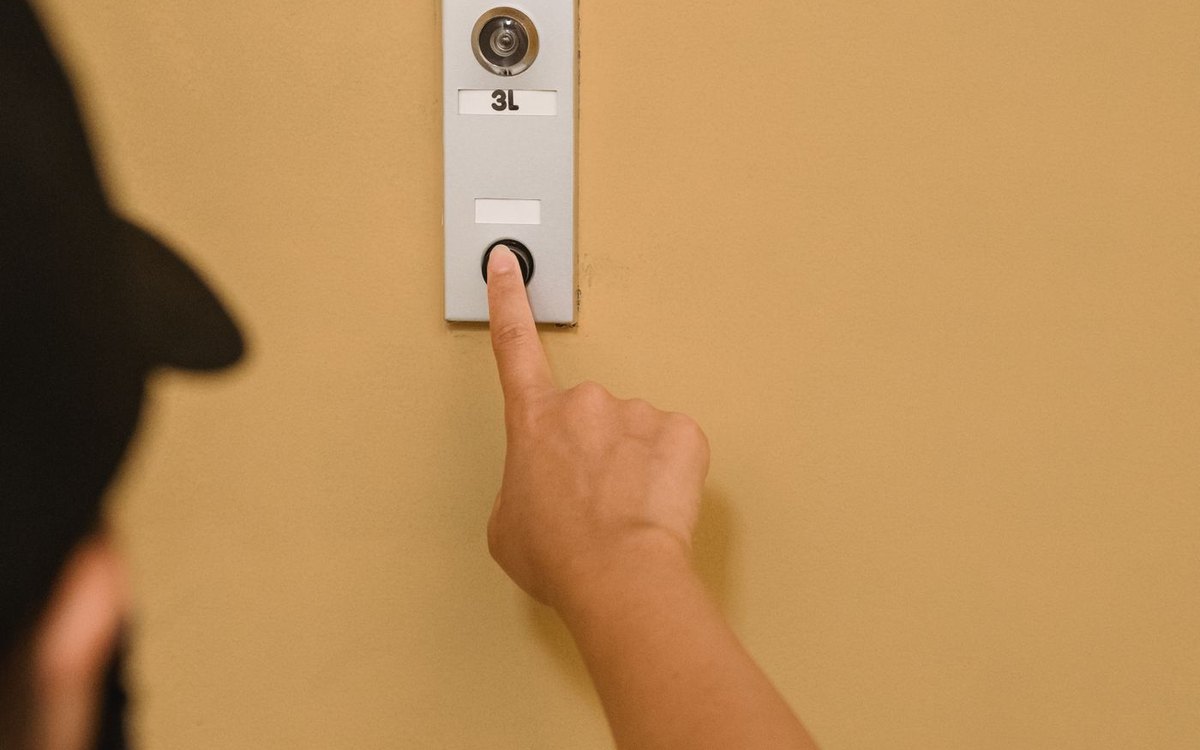
Stand where the doorbell will go and look at the actual scene. Midday sun, reflections and a narrow porch can put the visitor in a different part of the frame from the tidy picture on a product box. Test network reception where the camera will mount and confirm it can connect to the supported band. A phone connected to the same home Wi-Fi band can give a rough indication of coverage. The doorbell’s antenna may behave differently, so verify reception from the mounted device itself.
Ask who will see the recording
Check which footage can be viewed live, whether clips can be saved and what happens when a subscription ends. Find out whether other household users receive separate permissions. Think about the angle and recording area, along with local privacy rules, especially if neighbouring homes or common areas are in view. A narrow, deliberate view can be more useful than a broad one that captures more than the household needs.
Verify the power and installation
For a wired device, compare manufacturer requirements with the existing transformer and chime. If the specification or the wiring is unclear, use a qualified installer. For a battery model, check how easily the unit comes down for charging and where it can be remounted securely. After installation, ring the bell at different times and verify detection, notification and playback with the accounts that will actually use it.
Bring the intended view to the doorway
Start with one specific purpose. A resident may want to answer the bell from upstairs, see where parcels are left or receive an alert when someone uses the front steps. Each goal calls for a slightly different picture. A camera pointed across a long driveway may see pedestrians while cropping a parcel near the threshold. An angle that gives you a useful view of the doorstep can see less of a visitor standing near its far edge. Choose where a person will naturally stand and where the things you want to see usually sit. Hold a phone near the proposed mount as a rough framing aid. Its angle and exposure will differ from the camera's, so use it to reason about possible positions.
The front of a house often changes character with the weather. A covered entry can stay dim while the street behind it is bright. A porch light can reflect brightly off a glazed door or illuminate the background instead of the visitor. At night, a nearby white wall or reflective trim may look conspicuous under some illumination systems. If a compatible angled bracket is available, check what it captures before choosing a final position. At an apartment, consider whether the bracket protrudes into a shared route and whether the property manager allows it. A suitable fit includes access to the button, a stable mounting surface and a view that serves the purpose without passing unnecessarily through a neighbor's window or entrance.
Make sure people inside can still hear the bell
A phone alert can be helpful while someone is away. Inside the house, a normal chime may be more useful when the phone is charging, out of signal or silenced. Check whether the intended doorbell supports the existing chime, a supported indoor accessory or a different notice on an authorized speaker. Models with similar names can have different wiring requirements or different conditions for powering the chime. Compare the exact model instructions and the chime type. If compatibility can't be established safely, ask an electrician or suitable qualified installer before altering the existing equipment. Follow any rental or building requirements for a change.
Arrange an ordinary trial while a second person presses the button. Listen from the room where you most need to hear it, with interior doors in their usual positions. Then try a normal phone alert with the screen locked and your common notification mode enabled. Determine which account receives which kind of notice. If two people share responsibility, give them independent access where the system supports it and verify it from both devices. A ringing sound is a useful fallback for delays in app notifications or a sign-in problem. Confirm the type of sound you actually hear during a temporary internet outage using the documented behavior or a controlled test while the rest of the household knows what's happening.
Separate recording, live view and remote access
When people shop from a short product page, they may see “video history” and assume their preferred kind of recording is included. Read what the model and service offer at the current plan and region. An always-available live view, brief event clips and continuous recording are different features. Check where the record is stored, what period you can view and whether you can export a legitimate copy if you need it. A card or recorder in the home can have its own hardware and storage requirements. Cloud history can depend on a subscription. The right arrangement depends on who needs access, how quickly they need it and how much data the household is prepared to maintain.
Ask what happens when the camera, router or wider internet connection goes offline. An indoor chime can follow a different path from a phone notification. Some logs may preserve an event and display it after reconnection, while other systems cannot produce remotely available video during an outage. Look for the documented limits of the exact model before relying on a general claim. Test one ordinary event and find it in the history. Identify the time, check playback and confirm how long the clip remains available under ordinary settings. If you intend to save only occasional relevant events, verify that automatic expiry and your own deletion options work as expected.
Use the alerts you will actually respond to
An entryway often has moving branches, changing sun or doorstep traffic unconnected to visitors. See whether the camera offers separately configurable event notifications, detection areas and quiet periods. For instance, Google documents Activity Zones on compatible Nest equipment as a way to target certain types of alerts. Check what a zone changes for the model and app you're considering. A change in notifications does not automatically guarantee that a region is excluded from the underlying image or every recording. Make privacy adjustments with physical framing and specific documented privacy controls, then confirm the result in a clip. A useful notification plan favors a small set of meaningful events that someone will still notice after a busy day.
Rehearse with a person approaching from the usual side, a delivery left at the normal spot and a visitor briefly standing in evening light. Determine whether the camera starts recording early enough to show what happened. A battery-powered unit can face different operating constraints from a continuously powered model. Exposure, distance and wake timing can matter more than detail at the center of a sample picture. Resist increasing sensitivity to its maximum if the resulting notifications crowd out the event you need. Make one change at a time and repeat the same part of the approach.
Account for the recordings as well as the equipment
Agree on who can see live video, review history or export a saved clip. Choose individual household access where the platform offers it, and remove permissions when arrangements change. Check whether recorded audio or a feature you do not use can be switched off. Review the local rules before mounting a camera that may capture communal or public areas. The UK's Information Commissioner's Office provides a country-specific example of the issues involved, including reducing coverage and managing access and retention when rules for filming beyond the property boundary apply. Use the relevant authority's guidance for your actual location.
Keep a basic record with the model, power method, active subscription if any and the regular checks a resident can do. After a renovation, new lighting, router change or transfer to another owner, review coverage and account access again. A camera that was useful when it pointed toward a private porch may require a fresh position if an adjoining entrance opens nearby. Work through the simplest transaction first: a visitor presses the bell, a person indoors hears or sees a notice and that person knows what to do. The recorded image adds value when that basic chain consistently works.
Consider the time and effort of keeping it mounted
If the unit uses a removable battery, check what it takes to charge it in practice. Confirm the manufacturer's allowed temperatures and charging guidance, especially for an exposed entrance. A battery rating from a seller describes particular conditions. Frequent events, weak connectivity and local weather can affect actual operation. Note how the system reports a low charge and who will notice. A charging plan that requires dismounting an awkwardly placed device every few weeks can become a poor fit even when the picture itself looks good. Make sure the button or indoor chime has a workable alternative during charging if people need reliable notification.
For any model, choose a clean, stable area that leaves room around the button, vents or charging hardware described by the manufacturer. Consider door movement, conditions during storms and whether routine cleaning is practical. Inspect the mount again after someone has operated it in normal conditions. An installation checklist can be as simple as viewing the expected approach, checking the chime in the far room and confirming that release or charging instructions are accessible to the residents allowed to service it. Those small mechanics are easier to settle before the camera becomes the household's everyday doorbell.